How to Quickly Visualise Late or On Schedule Tasks in Microsoft Project
How to Quickly Visualise Late or On Schedule Tasks in Microsoft Project
Microsoft Project is a powerful project scheduling software that is used in many organisations around the world. You can quickly add a visual symbol next to each task that can indicate whether a task is complete, late or on schedule.
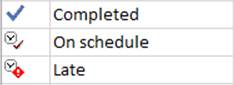
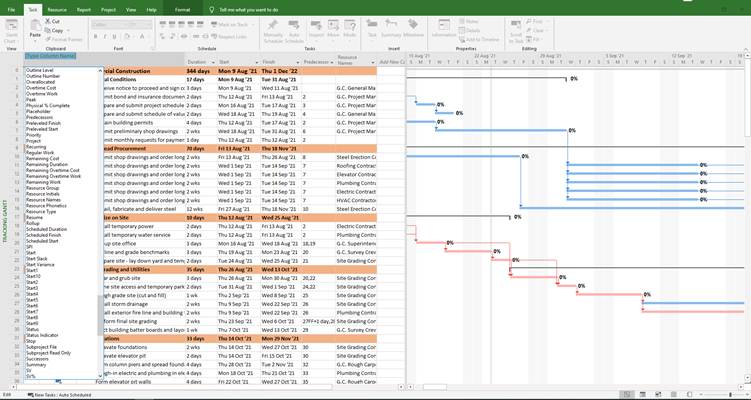
To add the status indicator to a column, do the following:
1. Right click in the column tab > Insert Column
2. Scroll down and select > Status Indicator
3. The column appears and has different status symbols



0 Likes